

Parallels Desktop 20 Pro for Mac Key (1 Year / 1 Mac)
Parallels Desktop 20 Pro for Mac Key (1 Year / 1 Mac)
Couldn't load pickup availability
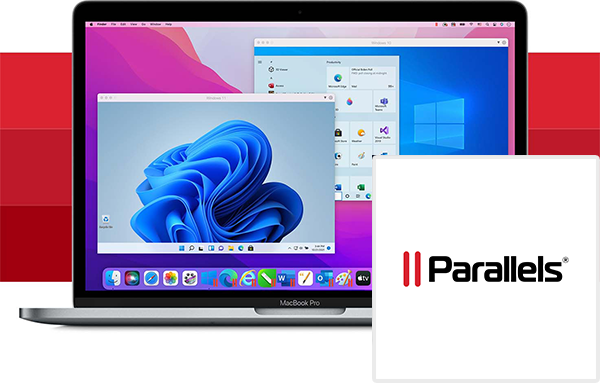

Parallels Desktop 20 Pro for Mac Key (1 Year / 1 Mac)
Why choose between macOS and Windows when you can have the best of both worlds? Parallels Desktop 26 Pro for Mac is the industry-leading virtualization software that allows you to run Windows, Linux, and other popular operating systems directly on your Mac—without ever needing to reboot.
Designed specifically for developers, creators, and demanding power users, the Pro Edition unlocks extreme performance capabilities and advanced tools that the standard version simply doesn't offer. Whether you need to test code across multiple platforms, run heavy CAD software, or play Windows-exclusive games on your Apple Silicon (M-series) or Intel-based Mac, Parallels Desktop 26 Pro delivers a flawless, lightning-fast experience.
By purchasing the Parallels Desktop 26 Pro 1-Year Subscription Key, you secure instant access to this essential productivity tool, ensuring your workflow remains uninterrupted and highly efficient.
Key Features of the Pro Edition
-
Unmatched Performance Limits: Push your virtual machines to the absolute limit. The Pro Edition allows you to allocate up to 128 GB of vRAM and 32 vCPUs per virtual machine, providing the raw power needed for demanding applications like Visual Studio, AutoCAD, and heavy data rendering.
-
Seamless Integration: Run Windows and macOS applications side-by-side. Copy and paste text, drag and drop files, and share folders between operating systems effortlessly with Coherence™ Mode.
-
Developer and IT Tools: Built for professionals. Includes a Visual Studio plug-in, advanced virtual networking tools, and support for Docker, Vagrant, Jenkins, and other critical development environments.
-
Fully Optimized for Apple Silicon: Harness the incredible speed and efficiency of Apple's M1, M2, M3, and M4 chips. Experience blazing-fast Windows 11 on ARM performance with perfectly optimized battery drain.
-
Easy Setup: Getting started is incredibly simple. Parallels automatically detects what you need to get started so you are up and running within minutes, even automatically downloading and installing Windows 11 for you.
Important License Details (Please Read)
Trust & Transparency: This product is a 1-Year Subscription License valid for 1 Mac device. Your 365-day subscription begins the moment you activate the key within the software. This key will grant you access to all updates and new features released for Parallels Desktop during your active subscription period.
Activation Guide: How to Redeem Your Parallels Desktop 26 Pro Key
Activating your new software is quick and secure. Follow these steps to get your virtual machine running:
-
Download the Software: Visit the official Parallels website (parallels.com) and download the latest installer for Parallels Desktop for Mac.
-
Install: Run the downloaded
.dmgfile and follow the on-screen instructions to install the application on your Mac. -
Sign In: Open Parallels Desktop and sign in to your Parallels account (or create a new, free account if you don't have one).
-
Activate the Key: When prompted to register or purchase, select the option to "Enter an Activation Key."
-
Unlock Pro Features: Paste your unique Parallels Desktop 26 Pro Key into the field and click "Activate." Your Pro features are now unlocked for a full year!
Expert Tip: For the best performance, ensure you install the "Parallels Tools" package inside your Windows virtual machine as soon as it boots up. This unlocks dynamic screen resolution, seamless mouse integration, and shared clipboards!