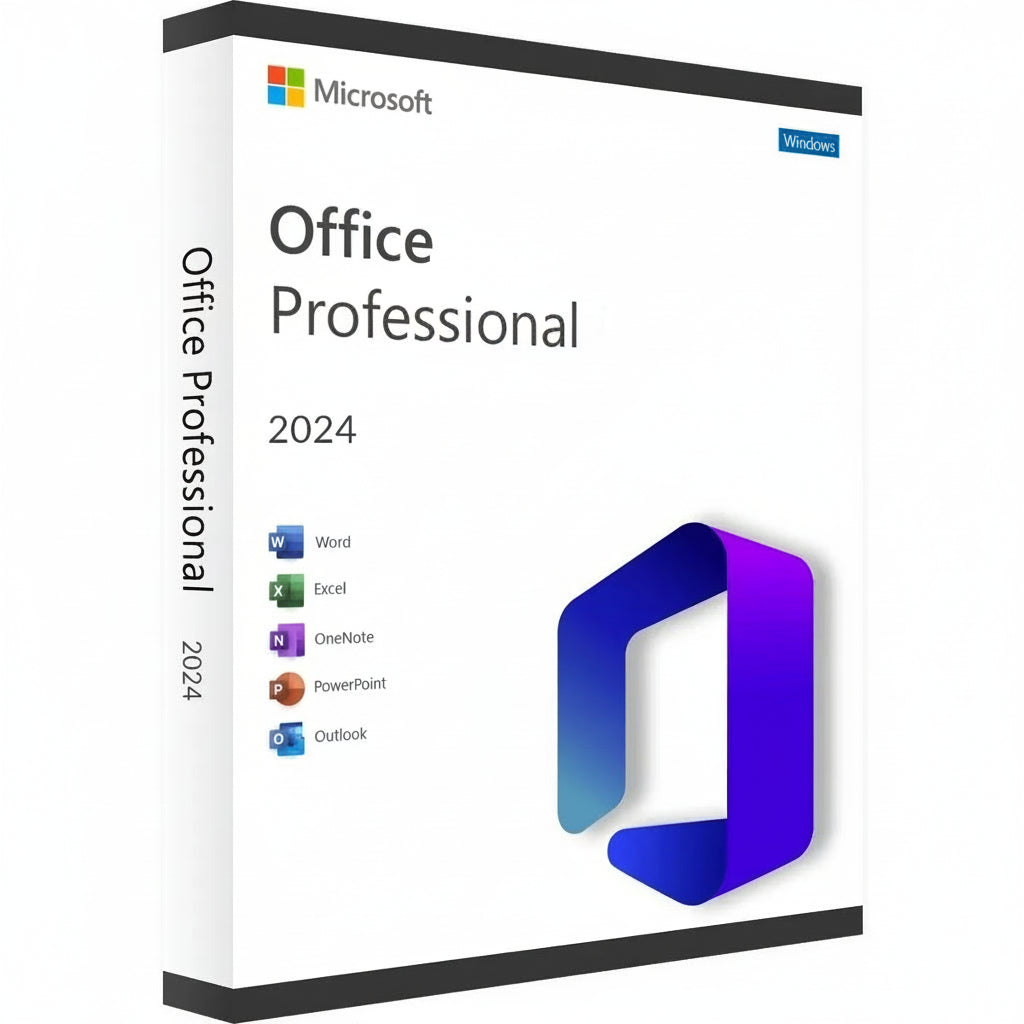
חבילת התוכנה Microsoft Office Professional 2024 על רקע לבן
Microsoft Office 2024 Professional Plus LTSC Key-2
    חבילת התוכנה Microsoft Office Professional 2024 על רקע לבן
    Microsoft Office 2024 Professional Plus LTSC Key-2
חבילת התוכנה Microsoft Office Professional 2024 על רקע לבן
Microsoft Office 2024 Professional Plus LTSC Key-2

Microsoft Office 2024 Professional Plus LTSC Key

קבל את מפתח Microsoft Office 2024 Professional Plus והפוך את סביבת העבודה שלך לכוח של יעילות. המהדורה האחרונה מביאה ממשק...

Read More
window
PlatformחלונותCheck Activation Guide
Can be activated in ישראל
Checking your region…
delivery
Delivery Instant Delivery
key
Type CD Key
Regular price
21.76 ILS
Sale price
21.76 ILS
Regular price
1,084.53 ILS
-98%

Safe Checkout Guaranteed

Trusted Payment Methods

American Express Apple Pay Bancontact Google Pay iDEAL Wero Mastercard MB WAY Union Pay USDC Visa

Data Encryption & Protection

Trust score 100/100

You Might Also Like

קבל את מפתח Microsoft Office 2024 Professional Plus והפוך את סביבת העבודה שלך לכוח של יעילות. המהדורה האחרונה מביאה ממשק מעודן וביצועים מהירים במיוחד לסוויטה הקלאסית שהעולם מסתמך עליה לתוצאות מקצועיות. זוהי הבחירה המובילה למומחים ולסטודנטים שרוצים להחזיק בתוכנה שלהם לנצח, ולדלג על הטרחה של מנויים חודשיים.


מדריך הפעלה ותאימות

הערת הפעלה: מוצר זה לא מופעל דרך setup.office.com. יש להשלים את ההפעלה מיד עם קבלת הרישיון כדי להבטיח תוקף.

כיצד להתקין ולהפעיל:

  1. בדוק את האימייל שלך: מיד לאחר הרכישה, תקבל את מפתח הרישיון הייחודי שלך יחד עם קישור להוראות וידאו מפורטות.

  2. עקוב אחר המדריך: צפה בסרטון שסופק בזהירות; הוא מכסה את השלבים הספציפיים להורדת המתקין הרשמי, התקנה ותהליך ההפעלה.

  3. הפעלה מיידית: יש לוודא שאתה עוקב אחר השלבים ומחיל את המפתח ברגע שאתה מקבל אותו.


תכונות עיקריות


  • צור מסמכים מקצועיים עם עיצוב מתקדם וכלי דיו חדשים ב-Word 2024.

  • נתח מערכי נתונים מורכבים מהר יותר עם מערכים דינמיים משודרגים ופונקציות XLOOKUP ב-Excel.

  • עצב מצגות קולנועיות באמצעות מעברים משופרים ותמיכה במודלים תלת-ממדיים ב-PowerPoint.

  • נהל נפחים גבוהים של מיילים ולוחות זמנים עם הממשק המהיר של Outlook.

  • בנה מאגרי נתונים מותאמים אישית ועיצובים מקצועיים באמצעות הגרסאות האחרונות של Access ו-Publisher.


עידן חדש של פרודוקטיביות וסוויטת אפליקציות


הסוויטה של 2024 היא קפיצה משמעותית בביצועים, שתוכננה לעבוד בהרמוניה מושלמת עם החומרה האחרונה ו-Windows 11. אתה מקבל גישה מלאה לקו הקלאסי, כולל OneNote המחודש, שנשאר חיוני לארגון מחשבות ושיתוף הערות על פני המכשירים שלך. הרפתקה אפית זו בעבודה דיגיטלית מבטיחה שתישאר לפני מועדים עם כלים שמגיבים לקלט שלך ללא עיכוב.

העקביות הוויזואלית היא לב הגרסה הזו, הכוללת מראה שמשקף את האסתטיקה המודרנית של מערכות ההפעלה הנוכחיות. בין אם אתה כותב מכתב פשוט או מנהל מסד נתונים תאגידי עצום, הסביבה מרגישה אחידה וממוקדת. התמיכה בפורמט OpenDocument (ODF) 1.4 מבטיחה גם שהקבצים שלך יישארו תואמים למגוון רחב יותר של תוכנות מאי פעם.


הפעלת & יתרונות רישוי


בחירת Microsoft Office 2024 Professional Plus Key פירושה שאתה בוחר רישיון קמעונאי קבוע. זו רכישה חד פעמית שמקושרת לחשבון Microsoft שלך, מה שמבטל את הצורך בתשלומים חוזרים או "השכרת תוכנה." אתה מקבל את הגרסה המלאה של כל יישום, מה שמבטיח שתוכל לעבוד במצב לא מקוון ולשמור על שליטה מלאה על המסמכים הפרטיים שלך ללא הגבלות ענן בלבד.

זוהי פתרון אמין עבור אלה שמעריכים יציבות לטווח ארוך ובעלות דיגיטלית. לאחר ההפעלה, הרישיון שלך הוא אמיתי ומאומת על ידי שרתים רשמיים, מה שמעניק לך גישה לכל עדכוני האבטחה הקריטיים. נתיב זה מועדף על ידי מקצוענים שזקוקים לפתרון "הגדר ושכח" עבור המשרד הביתי או סביבת העסק הקטן שלהם.

מפרטים טכניים & דרישות מערכת


פלטפורמות זמינות


מחשב (Windows 10 ו-Windows 11 בלבד).

דרישות מערכת


רכיב דרישות מינימליות מומלץ לביצועים
מערכת הפעלה Windows 10 / 11 Windows 11
מעבד 1.6 GHz, 2-core 2.0 GHz+ Multi-core
זיכרון 4 GB RAM 8 GB RAM או יותר
אחסון 4 GB מקום פנוי SSD לטעינה מהירה
תצוגה רזולוציה 1280 x 768 1920 x 1080 (Full HD)
גרפיקה DirectX 9 או מאוחר יותר תואם DirectX 12

קבל את הרישיון שלך

קבל את מפתח Microsoft Office 2024 Professional Plus שלך עכשיו ושלוט בעומס העבודה שלך עם הכלים האמינים ביותר בעולם!

Activation Guide

Option 1 – Microsoft deployment guide

Video guide

Watch the video guide

Before you start

Make sure any previous version of Microsoft Office or Microsoft 365 is completely uninstalled from your PC.

1. Open the Office Customization Tool

Go to the official Microsoft Office Customization Tool:

Open the Office Customization Tool

2. Create your configuration

Create a new configuration and select the following settings:

Architecture: 64-bit (recommended for most PCs), or 32-bit if required by your system.

Product: Office LTSC Professional Plus 2024 – Volume License.

Update Channel: Perpetual Enterprise / PerpetualVL2024.

Select the Office applications and language you want to install.

Product key: Select the Volume License / MAK option and enter your purchased Office 2024 Professional Plus LTSC key.

3. Export the configuration file

Complete the configuration and click Export. Accept Microsoft’s terms and save the configuration as an .xml file, for example:

office2024.xml

4. Download the Office Deployment Tool

Download the official Microsoft Office Deployment Tool (ODT):

Download Microsoft ODT

5. Create an installation folder

Create a new folder on your PC. Place the downloaded Office Deployment Tool and your .xml configuration file in this folder.

6. Extract the deployment files

Run the Office Deployment Tool and extract its files into the same folder.

Make sure the folder contains both setup.exe and your configuration file, for example office2024.xml.

7. Open Command Prompt

Open Command Prompt as Administrator.

8. Navigate to your installation folder

Navigate to the folder containing setup.exe and your configuration file. Example command:

cd "C:\Users\YourName\Desktop\Office2024"

Replace the example folder path with the location of your own installation folder.

9. Start the installation

Run this command:

setup.exe /configure office2024.xml

If you used a different configuration filename, replace office2024.xml with that exact filename.

10. Wait for Office to install

Office 2024 Professional Plus LTSC will now download and install. Keep your PC connected to a stable internet connection until installation is complete.

11. Activate Office

Open Word, Excel, or another Office application and go to File → Account.

Office should activate automatically online if the product key was added correctly during configuration. If prompted, enter your purchased product key and complete activation.

Option 2 – Simplified installation and alternative activation

If the configuration steps in Option 1 are too technical, use the direct installer below. Choose one installation method. If Office LTSC 2024 is already installed, skip the download and continue with activation.

1. Remove previous Office installations

Remove any previous Office or Microsoft 365 installation, as explained above.

2. Download and install Office

For the English 64-bit edition, download and run this Office 2024 Professional Plus LTSC installer:

Download Office 2024 LTSC – English, 64-bit

Use Option 1 if you need a different language or a 32-bit installation.

3. Enter your product key

Open Word → File → Account. Check that the edition is Office LTSC Professional Plus 2024. Enter your purchased key when prompted and try online activation first.

4. Find your Installation ID

If online activation fails and the Activation Wizard offers “I want to activate the software by telephone”, select it and choose Next to display your Installation ID.

5. Open the Microsoft activation portal

Open the Microsoft Product Activation Portal

Complete the verification and sign in. Select “Activate a Microsoft Product”, choose Office and the matching version, and follow the prompts to submit your Installation ID.

Microsoft has moved automated telephone activation online. Use the portal instead of calling an old activation number. Signing in to the portal does not link the LTSC license to that Microsoft account.

6. Complete activation

If Microsoft provides a Confirmation ID, enter it in the Activation Wizard and finish activation. Check File → Account for the activated product status.

7. Get help if activation fails

If the telephone option is unavailable, the portal cannot complete activation, or the key is rejected, contact RoyalCDKeys Support. Include a screenshot of the exact error and the product information shown under File → Account.

Do not keep reinstalling Office or buy another key before we check the issue.

Important: Microsoft Project compatibility

Project is sold separately and is not included in Office LTSC Professional Plus 2024.

Project Standard or Professional 2024 can coexist with Office LTSC 2024 in a compatible installation. Office and Project must use the same 32-bit or 64-bit architecture, compatible Click-to-Run installation technology, and the same update channel.

Office LTSC 2024 uses PerpetualVL2024. Project 2024 volume editions support this channel. Older or differently configured Project installers may conflict.

Contact RoyalCDKeys Support before installing Project alongside this Office edition.