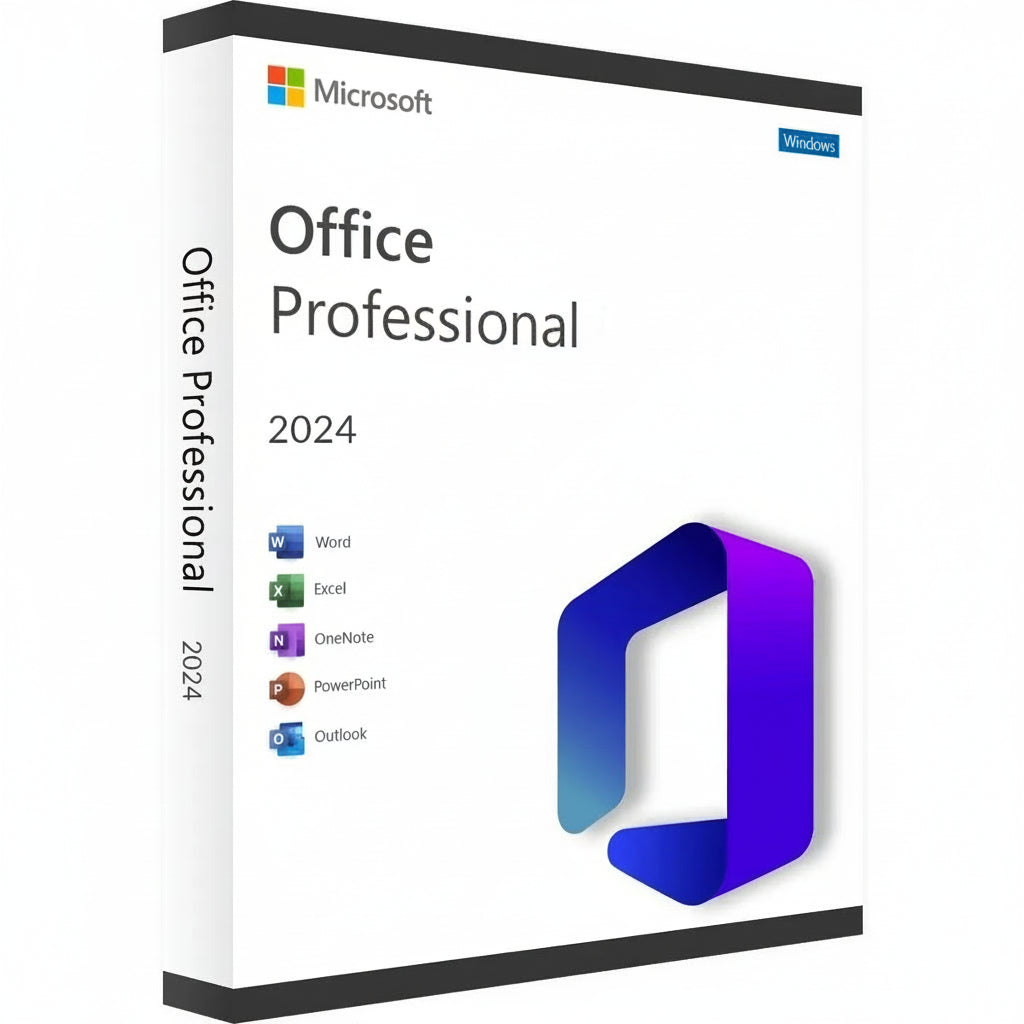
Microsoft Office Professional 2024 Softwarepaket-Box auf weißem Hintergrund
Microsoft Office 2024 Professional Plus LTSC Key-2
    Microsoft Office Professional 2024 Softwarepaket-Box auf weißem Hintergrund
    Microsoft Office 2024 Professional Plus LTSC Key-2
Microsoft Office Professional 2024 Softwarepaket-Box auf weißem Hintergrund
Microsoft Office 2024 Professional Plus LTSC Key-2

Microsoft Office 2024 Professional Plus LTSC Key

Holen Sie sich Ihren Microsoft Office 2024 Professional Plus Key und verwandeln Sie Ihren Arbeitsplatz in ein Effizienz-Kraftpaket. Diese neueste...

Mehr lesen
window
PlatformFensterCheck Activation Guide
Can be activated in Deutschland
Checking your region…
delivery
Delivery Instant Delivery
key
Type CD Key
Normalpreis
€6,14 EUR
Angebotspreis
€6,14 EUR
Normalpreis
€300,00 EUR
-98%

Safe Checkout Guaranteed

Trusted Payment Methods

American Express Apple Pay Bancontact Google Pay iDEAL Wero Mastercard MB WAY Union Pay USDC Visa

Data Encryption & Protection

Trust score 100/100

You Might Also Like

Holen Sie sich Ihren Microsoft Office 2024 Professional Plus Key und verwandeln Sie Ihren Arbeitsplatz in ein Effizienz-Kraftpaket. Diese neueste Version bietet eine verfeinerte Benutzeroberfläche und blitzschnelle Leistung für die klassische Suite, auf die die Welt für professionelle Ergebnisse vertraut. Es ist die erste Wahl für Experten und Studenten, die ihre Software für immer besitzen möchten, ohne sich mit monatlichen Abonnements herumschlagen zu müssen.


Aktivierungsanleitung & Kompatibilität

Aktivierungshinweis: Dieses Produkt wird nicht über setup.office.com aktiviert. Die Aktivierung muss sofort nach Erhalt Ihrer Lizenz abgeschlossen werden, um die Gültigkeit zu gewährleisten.

So installieren und aktivieren Sie:

  1. Überprüfen Sie Ihre E-Mail: Unmittelbar nach dem Kauf erhalten Sie Ihren einzigartigen Lizenzschlüssel zusammen mit einem Link zu detaillierten Videoanleitungen.

  2. Befolgen Sie die Anleitung: Sehen Sie sich das bereitgestellte Video sorgfältig an; es deckt die spezifischen Schritte für das Herunterladen des offiziellen Installationsprogramms, die Installation und den Aktivierungsprozess ab.

  3. Schnelle Aktivierung: Bitte stellen Sie sicher, dass Sie die Schritte befolgen und den Schlüssel anwenden, sobald Sie ihn erhalten.


Hauptmerkmale


  • Erstellen Sie professionelle Dokumente mit erweiterten Formatierungen und neuen Tintenwerkzeugen in Word 2024.

  • Analysieren Sie komplexe Datensätze schneller mit verbesserten dynamischen Arrays und XLOOKUP-Funktionen in Excel.

  • Gestalten Sie kinoreife Präsentationen mit verbesserten Übergängen und 3D-Modellunterstützung in PowerPoint.

  • Verwalten Sie große Mengen an E-Mails und Terminen mit der ultra-reaktionsschnellen Outlook-Oberfläche.

  • Erstellen Sie benutzerdefinierte Datenbanken und professionelle Layouts mit den neuesten Versionen von Access und Publisher.


Neue Ära der Produktivität & App Suite


Die 2024 Suite ist ein bedeutender Leistungssprung, der perfekt mit der neuesten Hardware und Windows 11 harmoniert. Sie erhalten vollen Zugriff auf das klassische Lineup, einschließlich des überarbeiteten OneNote, das weiterhin entscheidend ist, um Gedanken zu organisieren und Notizen über Ihre Geräte hinweg zu teilen. Dieses epische Abenteuer in der digitalen Arbeit stellt sicher, dass Sie mit Tools, die ohne Verzögerung auf Ihre Eingaben reagieren, den Terminen voraus sind.

Visuelle Konsistenz steht im Mittelpunkt dieser Version und bietet ein Aussehen, das die modernen Ästhetiken aktueller Betriebssysteme widerspiegelt. Egal, ob Sie einen einfachen Brief verfassen oder eine umfangreiche Unternehmensdatenbank verwalten, die Umgebung fühlt sich kohärent und fokussiert an. Die Integration der Unterstützung für das OpenDocument-Format (ODF) 1.4 stellt außerdem sicher, dass Ihre Dateien mit einer breiteren Palette von Software kompatibel bleiben als je zuvor.


Aktivierungs- und Lizenzierungsvorteile


Die Wahl des Microsoft Office 2024 Professional Plus Key bedeutet, dass Sie sich für eine dauerhafte Einzelhandelslizenz entscheiden. Dies ist ein einmaliger Kauf, der mit Ihrem Microsoft-Konto verknüpft ist und die Notwendigkeit von wiederkehrenden Gebühren oder "Softwaremieten" eliminiert. Sie erhalten die Vollversion jeder Anwendung, sodass Sie offline arbeiten und die volle Kontrolle über Ihre privaten Dokumente ohne Cloud-Only-Einschränkungen behalten können.

Es ist eine zuverlässige Lösung für diejenigen, die langfristige Stabilität und digitalen Besitz schätzen. Sobald aktiviert, ist Ihre Lizenz echt und wird von offiziellen Servern verifiziert, was Ihnen Zugang zu allen wichtigen Sicherheitsupdates gibt. Dieser Weg wird von Fachleuten bevorzugt, die eine "einrichten und vergessen"-Lösung für ihr Home-Office oder ihre kleine Geschäftsumgebung benötigen.

Technische Spezifikationen & Systemanforderungen


Verfügbare Plattformen


PC (nur Windows 10 und Windows 11).

Systemanforderungen


Komponente Mindestanforderungen Empfohlen für Leistung
Betriebssystem Windows 10 / 11 Windows 11
Prozessor 1,6 GHz, 2-Kern 2,0 GHz+ Mehrkern
Speicher 4 GB RAM 8 GB RAM oder mehr
Speicherplatz 4 GB verfügbarer Speicher SSD für schnellere Ladezeiten
Anzeige 1280 x 768 Auflösung 1920 x 1080 (Full HD)
Grafik DirectX 9 oder später DirectX 12 kompatibel

Sichern Sie sich Ihre Lizenz

Sichern Sie sich jetzt Ihren Microsoft Office 2024 Professional Plus Key und meistern Sie Ihre Arbeitslast mit den weltweit vertrauenswürdigsten Tools!

Activation Guide

Option 1 – Microsoft deployment guide

Video guide

Watch the video guide

Before you start

Make sure any previous version of Microsoft Office or Microsoft 365 is completely uninstalled from your PC.

1. Open the Office Customization Tool

Go to the official Microsoft Office Customization Tool:

Open the Office Customization Tool

2. Create your configuration

Create a new configuration and select the following settings:

Architecture: 64-bit (recommended for most PCs), or 32-bit if required by your system.

Product: Office LTSC Professional Plus 2024 – Volume License.

Update Channel: Perpetual Enterprise / PerpetualVL2024.

Select the Office applications and language you want to install.

Product key: Select the Volume License / MAK option and enter your purchased Office 2024 Professional Plus LTSC key.

3. Export the configuration file

Complete the configuration and click Export. Accept Microsoft’s terms and save the configuration as an .xml file, for example:

office2024.xml

4. Download the Office Deployment Tool

Download the official Microsoft Office Deployment Tool (ODT):

Download Microsoft ODT

5. Create an installation folder

Create a new folder on your PC. Place the downloaded Office Deployment Tool and your .xml configuration file in this folder.

6. Extract the deployment files

Run the Office Deployment Tool and extract its files into the same folder.

Make sure the folder contains both setup.exe and your configuration file, for example office2024.xml.

7. Open Command Prompt

Open Command Prompt as Administrator.

8. Navigate to your installation folder

Navigate to the folder containing setup.exe and your configuration file. Example command:

cd "C:\Users\YourName\Desktop\Office2024"

Replace the example folder path with the location of your own installation folder.

9. Start the installation

Run this command:

setup.exe /configure office2024.xml

If you used a different configuration filename, replace office2024.xml with that exact filename.

10. Wait for Office to install

Office 2024 Professional Plus LTSC will now download and install. Keep your PC connected to a stable internet connection until installation is complete.

11. Activate Office

Open Word, Excel, or another Office application and go to File → Account.

Office should activate automatically online if the product key was added correctly during configuration. If prompted, enter your purchased product key and complete activation.

Option 2 – Simplified installation and alternative activation

If the configuration steps in Option 1 are too technical, use the direct installer below. Choose one installation method. If Office LTSC 2024 is already installed, skip the download and continue with activation.

1. Remove previous Office installations

Remove any previous Office or Microsoft 365 installation, as explained above.

2. Download and install Office

For the English 64-bit edition, download and run this Office 2024 Professional Plus LTSC installer:

Download Office 2024 LTSC – English, 64-bit

Use Option 1 if you need a different language or a 32-bit installation.

3. Enter your product key

Open Word → File → Account. Check that the edition is Office LTSC Professional Plus 2024. Enter your purchased key when prompted and try online activation first.

4. Find your Installation ID

If online activation fails and the Activation Wizard offers “I want to activate the software by telephone”, select it and choose Next to display your Installation ID.

5. Open the Microsoft activation portal

Open the Microsoft Product Activation Portal

Complete the verification and sign in. Select “Activate a Microsoft Product”, choose Office and the matching version, and follow the prompts to submit your Installation ID.

Microsoft has moved automated telephone activation online. Use the portal instead of calling an old activation number. Signing in to the portal does not link the LTSC license to that Microsoft account.

6. Complete activation

If Microsoft provides a Confirmation ID, enter it in the Activation Wizard and finish activation. Check File → Account for the activated product status.

7. Get help if activation fails

If the telephone option is unavailable, the portal cannot complete activation, or the key is rejected, contact RoyalCDKeys Support. Include a screenshot of the exact error and the product information shown under File → Account.

Do not keep reinstalling Office or buy another key before we check the issue.

Important: Microsoft Project compatibility

Project is sold separately and is not included in Office LTSC Professional Plus 2024.

Project Standard or Professional 2024 can coexist with Office LTSC 2024 in a compatible installation. Office and Project must use the same 32-bit or 64-bit architecture, compatible Click-to-Run installation technology, and the same update channel.

Office LTSC 2024 uses PerpetualVL2024. Project 2024 volume editions support this channel. Older or differently configured Project installers may conflict.

Contact RoyalCDKeys Support before installing Project alongside this Office edition.